
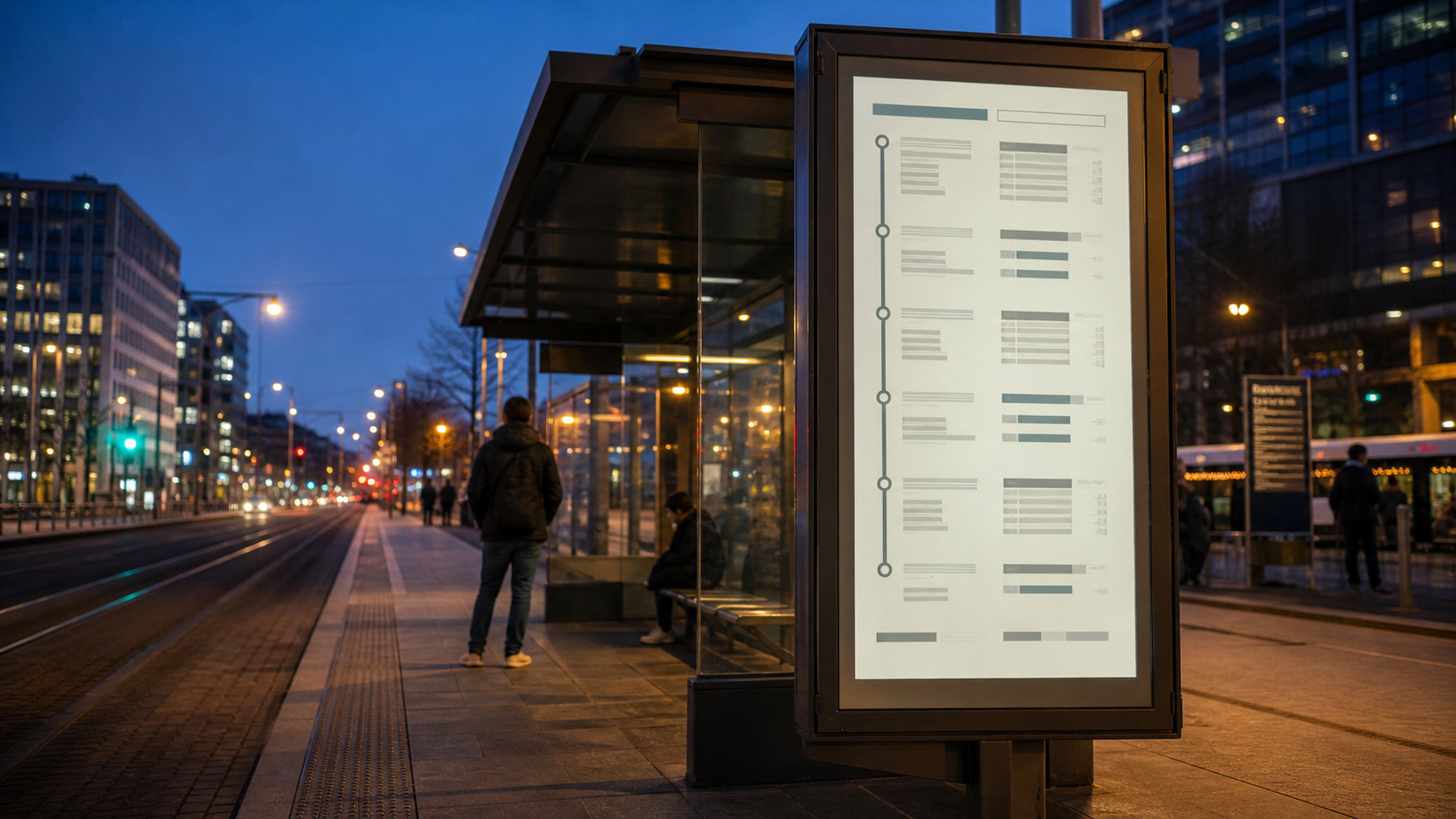
A smart bus stop display using a front light to keep public information readable at night
E-paper consumes little power and can retain an image without continuous power, making it a practical choice for smart bus stops, railway passenger information displays, traffic signs, and other public information displays (PIDs). In adequate ambient light, the reflective screen remains clear and paper-like. It works particularly well for timetables, routes, station details, and notices that change at low or moderate frequency.
At night, under a shelter, beside a building, or in another low-light location, there may not be enough ambient light for a reflective display. Because the EPD does not emit light, the information can become difficult to read. An e-paper front light adds illumination from the viewing side so that smart signage and other public displays remain legible after dark.
If E-Paper Is Clear in Daylight, Why Does It Need a Front Light at Night?
E-paper is a reflective display technology. It works differently from a self-emissive LED sign and from an LCD with an internal backlight. Sunlight or another external light source must reach the display surface and reflect toward the viewer before the image can be seen.
In daylight, that dependence on ambient light is an advantage. The display can present clear text and graphics without running a high-output backlight continuously. When the available light falls, however, there is less light to reflect and readability declines.
A front light does not replace the reflective operating principle of e-paper. It fills the illumination gap at night and in dim environments. The LED front light can be controlled by an ambient-light sensor and switched on only when needed, balancing round-the-clock readability with energy use.
Explains the reflective characteristics of e-paper and how front-light design supports low-light readability.
How Is an E-Paper Display Different from an LCD?
E-paper and LCDs can both serve public-information applications, but their imaging principles, illumination methods, and suitable content differ. The choice should reflect update frequency, operating hours, ambient light, and available power.
| Comparison | E-Paper Display (EPD) | LCD |
|---|---|---|
| Display principle | Uses reflected ambient light to show content | Uses a backlight transmitted through the liquid-crystal layer |
| Daylight viewing | Can be read directly from reflected light when ambient illumination is adequate | Usually requires the backlight to remain on; outdoor use may call for higher luminance |
| Nighttime illumination | Does not emit light and can use a front light for illumination from the viewing side | Includes an internal backlight |
| Content updates | Better suited to static or infrequently updated information | Suitable for real-time content, animation, and video |
| Power use | Power is used mainly during image updates and when the front light is on; a fixed image remains visible | The display and backlight generally require continuous power |
| Typical outdoor concerns | Nighttime readability, front-light uniformity, weather resistance, and bonding durability | Sunlight readability, surface reflections, backlight power, and heat management |
| Front optical stack | Can integrate a front light, cover lens, and optical bonding | Can integrate a cover lens, touch layer, and optical bonding |
| Suitable public-information content | Bus schedules, railway timetables, route maps, notices, and other low-frequency information | Live video, advertising clips, interactive information, and rapidly changing content |
E-paper and LCDs are not simple substitutes. For public information built around text, schedules, and routes with limited updates, e-paper makes good use of reflected light and image retention. When the application requires video, animation, or fast-changing live content, an LCD is generally the better fit.
How Does a Front Light Illuminate a Reflective E-Paper Display?
An LCD backlight cannot simply be placed behind an e-paper panel. LCD light travels from behind the panel and through the liquid-crystal layer. E-paper is reflective, so illumination must enter from the viewing side; this is why the system is called a front light.
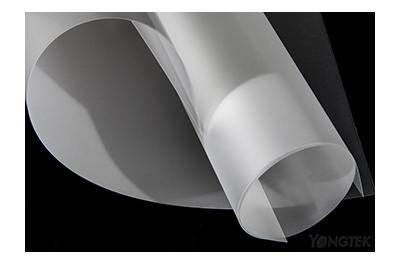
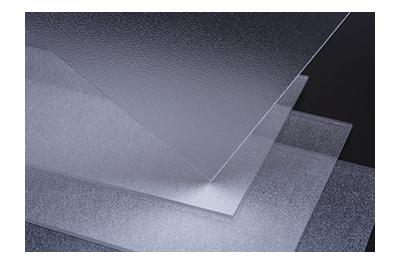
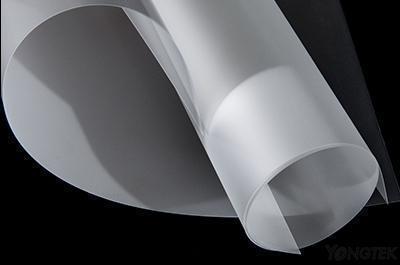
A typical front-light structure includes side-mounted LEDs, a transparent front light guide film, and the EPD module. Light enters through the edge of the guide and is directed by optical microstructures toward the e-paper surface. The displayed information then reflects back toward the viewer.
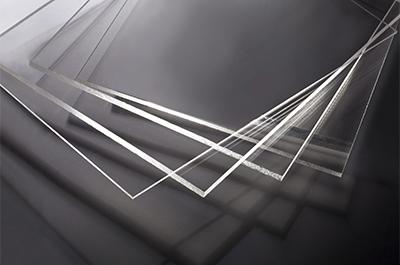
The guide must remain optically clear when the LEDs are off so it does not obscure the display. When illuminated, it must control both brightness near the input edge and uniformity across the active area. Unlike a general lighting guide, it must distribute light without visibly interfering with the image beneath it.
The microstructure, material thickness, LED input direction, and active area of a Front Light Guide Film must be developed around the EPD size and mechanical design.
Which E-Paper Applications Should Be Evaluated for a Front Light?
Front-light requirements cannot be decided by classifying an installation as simply indoor or outdoor. Time of day, orientation, shelter, and nearby structures can create very different illumination conditions at the same site.
| E-paper application | Operating environment | Likely reading issue | Front-light assessment |
|---|---|---|---|
| Smart bus stop display | Day-to-night operation with large changes in ambient light | Schedules and route information become hard to read after dark | Consider a front light when information must remain available around the clock |
| Railway passenger information display | Platform, waiting area, or semi-outdoor location | Shadows and low nighttime illumination | Assess the front light against operating hours and installation position |
| Underground-station e-paper sign | Long periods without natural light | The display cannot receive enough light to reflect | Stable front illumination is generally required |
| Outdoor e-paper information sign | Changing sunlight, shadow, and weather conditions | Readability varies by time of day | Front-light operation can be tied to ambient-light conditions |
| E-paper advertising display | Shopping-mall corridor, storefront, or outdoor display area | The installation may not receive useful light from the viewing side | Evaluate a front light when the display must operate at night or in dim conditions |
| Daytime-only e-paper sign | Stable ambient light and fixed operating hours | Can normally be read using ambient light alone | A front light may not be necessary; verify the actual site illumination |
If an outdoor EPD operates only in daylight and receives reliable ambient light, a front light may not be needed or may remain off most of the time. For nighttime service, shaded installations, or round-the-clock transport information, the front light becomes an important part of the display design.
Further Reading: Front Light Guide | Let Your E Ink Display Shine in the Dark!
Describes how a front light guide provides auxiliary illumination for e-paper signage and public information displays.
What Information Should Be Prepared Before Discussing a Front-Light Project?
EPD sizes, active areas, LED layouts, and mechanical envelopes vary from one product to another. A front light therefore has to be developed around the project rather than selected by panel size alone. Supplying complete drawings and configuration details early helps shorten requirement review and sample validation. Prepare the following information before evaluation.
1. EPD Model
The EPD model identifies the panel outline, active display area, and related mechanical constraints. If the model is not yet fixed, provide the panel specification or intended display size.
Also describe whether the product is a smart bus stop, railway passenger information display, or another public-information device so that the optical layout reflects its installation orientation and viewing requirements.
2. LED Type and Position
Provide the proposed LED model, quantity, pitch, and whether the light enters from a long or short edge. These factors determine the initial optical design direction.
If the LED has not been selected, provide the available light-bar type and proposed input direction for preliminary review.
3. Front-Light Dimensions
In addition to the panel size, provide the active display area and available product drawings.
On a large-format e-paper PID, size increases the optical path. If the light distribution is not designed around the actual drawing, the area near the LEDs may show hotspots or bright lines while the far side remains dim. More design iterations and tests may then be required.
4. Forecast Production Volume
Volume helps establish whether the project is at concept review, prototype, pilot-production, or production stage. Early projects may be able to evaluate a standard front-light sample close to the planned size and configuration before committing to a custom design.
5. Product and Mechanical Drawings
Drawings help confirm the active area, LED position, cover-lens border, and surrounding mechanical constraints.
Provide the EPD drawing, LED light-bar layout, and overall product stack. If the mechanical design is still in progress, preliminary dimensions and a layout sketch are enough to begin the discussion.
Further Reading: YONGTEK E-Paper Front Light and Display Integration Services
An overview of front lights, cover lenses, optical bonding, and downstream assembly options for e-paper displays.
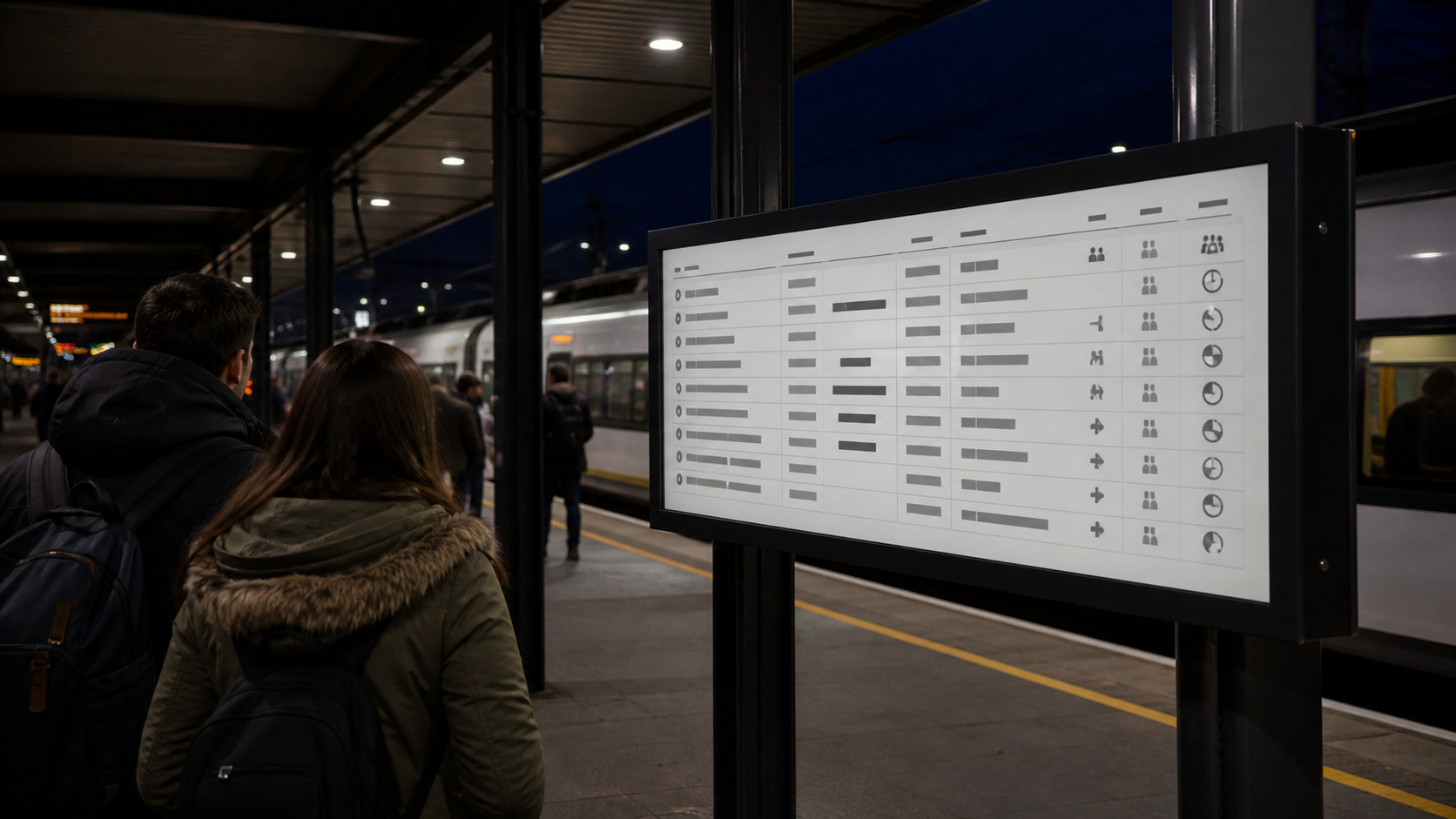
A front light helps a railway e-paper passenger information display remain readable in low-light conditions.
What Problems Are Common in Large-Format E-Paper Front Lights?
As the display grows, both the optical path inside the front light and the bonding area increase. If the optical pattern, LED arrangement, cover-lens border, mechanical cover, and bonding stack are reviewed separately, the finished unit may show hotspots, bright lines, a dim center, bubbles, or localized reflections.
Hotspots or Bright Lines Near the Light-Input Edge
LED light is concentrated where it enters the guide. If the extraction pattern or border masking is not suited to the actual structure, distinct hotspots or a continuous bright line may remain visible near the input edge. Complete drawings are essential during the initial review.
The input region can be corrected through local optical-pattern design. The masking width of the cover-lens border may also be reviewed to reduce direct visibility of the LED entry zone without encroaching on the active display area.
Dim Center or Far Edge
After entering from the side, light must travel across the full display area. On a larger panel, the longer path can leave the center or far edge with less light than the input side.
Regional extraction density can be adjusted according to guide dimensions, LED position, and propagation distance to improve whole-area uniformity.
Cover-Lens Border and Mechanical-Cover Color Affect the Optical Design
The color and reflectance of the cover-lens border or mechanical cover can change light distribution near the input edge.
The same front-light pattern can produce different edge brightness and uniformity with different border or cover colors. Include color, material, and opening dimensions in the project data so the optical design reflects the actual structure.
Large-Area Optical Bonding Can Produce Bubbles, Misalignment, or Incomplete Adhesion
An e-paper display typically contains a cover lens, front-light module, EPD, and backplate. Depending on the product design, the layers are bonded with an optical adhesive such as OCA. As display size increases, adhesive selection, alignment, cleanliness, and process control become more demanding.
Dust, bubbles, misalignment, or incomplete local bonding affect more than appearance. They can change how light travels through the stack, producing local reflections, reduced clarity, or visible brightness variation.
Rework can increase the risk of damaging and scrapping the EPD, so the bonding partner should have experience with large optical assemblies. For projects that combine a front light, cover lens, and optical bonding, contact YONGTEK Large-Format E-Paper Optical Bonding and Assembly Services and provide the EPD model, bonding dimensions, and product stack.
Common Display and Assembly Issues
| Issue | Possible cause | Direction for review | Information required |
|---|---|---|---|
| Hotspot near the light-input edge | Concentrated LED output or unsuitable spacing between the LEDs and guide | Refine the input-region optical design and review LED position | LED model, pitch, position, and mechanical drawing |
| Bright line near the light-input edge | Excessive extraction in the input region or insufficient masking by the cover-lens border | Adjust the front-light pattern or cover-lens border | Cover-lens drawing, border width, and active display area |
| Dim center or far edge | Long propagation distance and insufficient extraction away from the LEDs | Refine the regional extraction pattern | Front-light dimensions, input direction, and EPD active area |
| Abnormal brightness near the border | Reflectance and color of the cover-lens border or mechanical cover alter edge light distribution | Include the cover-lens border and mechanical-cover conditions in the optical design | Color, material, and opening dimensions of the cover-lens border or mechanical cover |
| Bubbles, misalignment, or local reflections after bonding | Large bonding area, poor flatness, contamination, or inadequate alignment control | Review the optical adhesive, bonding stack, and assembly method | Cover-lens, front-light, and EPD drawings with bonding dimensions |
| Uneven overall brightness distribution | The optical pattern, LED layout, bonding stack, and mechanics are not matched as a complete system | Reassess the full product stack | EPD, LED, cover lens, optical adhesive, mechanical cover, and assembly drawings |
Further Reading: YONGTEK Front Light Guide Film: Making E-Paper & E Ink Displays Brighter & Clearer
Learn how a front light guide uses side LEDs and optical microstructures to support e-paper readability in low-light conditions.
What Must Be Considered When an E-Paper Front Light Is Used Outdoors for Years?
An outdoor e-paper PID is exposed not only to changing light levels but also to ultraviolet radiation, elevated temperature, and repeated temperature swings. These conditions affect the front light as well as the optical adhesive and the stability of the bonded stack.
Outdoor product design should therefore include UV protection, adhesive weatherability, and thermal resistance in the initial material review.
UV Exposure Can Cause Yellowing and Changes in Optical Performance
Long-term sunlight exposure can age some plastic materials, optical adhesives, and surface treatments. Possible effects include yellowing, lower optical transmission, local color variation, and changes in bond performance.
For optical bonding, evaluate a UV-cut adhesive intended for outdoor display use. The cover lens should also be reviewed for UV-resistant material or a suitable surface treatment so that the front of the display contributes to UV protection.
UV blocking range, thermal capability, and substrate compatibility vary by adhesive. Selection must be based on the combination of cover lens, front light, and EPD rather than the generic description 'clear optical adhesive.'
High Temperature and Thermal Cycling Can Cause Bond Separation
Solar loading can raise the temperature inside an outdoor display above the surrounding air. Repeated heat and cooling cycles create stress at bonded interfaces and may lead to bubbles, edge lift, local delamination, or separation between components. Inadequate sealing, thermal design, or material selection can accelerate the problem.
Practical countermeasures include an optical adhesive suited to the required outdoor conditions, appropriate heat management, and early review of adhesive thickness, thermal and moisture resistance, and structural stress.
Consider an Anti-Glare Treatment for the Cover Lens
Strong reflections from the cover-lens surface reduce practical readability. An AG (anti-glare) treatment can scatter reflected light and reduce glare or background images. The AG specification still needs to be evaluated together with EPD resolution, front-light performance, and viewing distance.
Frequently Asked Questions
Does Every Outdoor E-Paper Display Need a Front Light?
No. If the display operates only in daylight and receives stable, adequate ambient light, reflected light may be sufficient. A front light should be evaluated when the product must operate at night, in shade, underground, or during other low-light periods.
How Is a Front Light Different from an LCD Backlight?
A front light sits on the viewing side of an EPD. Light reaches the display surface and reflects back to the viewer. An LCD backlight sits behind the liquid-crystal panel and transmits light through the display layer. Their placement, light direction, and optical requirements are different.
Why Not Place a Row of LEDs Directly in Front of the E-Paper?
A bare LED row tends to create an overbright input edge, visible points, and a dim far side. The front light guide spreads the concentrated edge light into a more uniform surface source across the active display area.
Why Does a Large E-Paper Display Need an Optical-Bonding Review?
Large products have a wider bonding area, so flatness, alignment, and cleanliness have more influence on the result. Poor bonding conditions can produce bubbles, misalignment, local reflections, or incomplete adhesion.
How Can a Bright Line at the Front-Light Input Edge Be Reduced?
Check the distance between the LEDs and guide, the extraction pattern near the input, and the masking width of the cover-lens border. The solution may involve optical-pattern changes or a border adjustment that does not reduce the active display area.
Do Black and White Mechanical Covers or Borders Affect Front-Light Performance?
Yes. A black cover or border absorbs more stray light, while a white surface may reflect some of it. Either can change edge brightness. Include color, material, and opening dimensions in the project review.
What Type of Optical Adhesive Should Be Used for Outdoor E-Paper Bonding?
Select the adhesive according to operating temperature, UV exposure, bonded substrates, and product structure. For outdoor use, prioritize a UV-cut adhesive compatible with the cover lens, front light, and EPD materials.
Is a Stronger AG Treatment Always Better?
No. More surface scattering can reduce reflections, but it may also affect image clarity and front-light appearance. Set the AG level against EPD resolution, viewing distance, ambient light, and front-light output.
Keeping an Outdoor E-Paper PID Readable by Day and by Night
An outdoor e-paper PID uses reflected ambient light effectively during the day. A front light covers nighttime and low-light operation. Long-term outdoor use also requires coordinated review of the cover lens, UV-cut optical adhesive, AG treatment, and optical-bonding stack.
If you are developing a smart bus stop, e-paper passenger information display, or another EPD public-information product, share the finished dimensions, EPD model, LED type and layout, forecast quantity, and product drawings.
YONGTEK can discuss front-light optical design and production for the specific project, together with cover-lens options, AG/AR surface treatment, optical bonding, and downstream assembly. Send the product details through YONGTEK E-Paper Optical Bonding and Integration Services.